Reply in their language.

Translate your draft right where you type it.

How to install
  1. Unzip the file.
  2. Open chrome://extensions and turn on Developer mode.
  3. Click Load unpacked and pick the unzipped folder.
Chrome and Firefox listings pending

2,500 free credits. No card.

Lucía Ramos Writes in Spanish

Today

Hola, buenas tardes.

Mi pedido todavía no ha llegado. ¿Pueden revisarlo?

Your reply

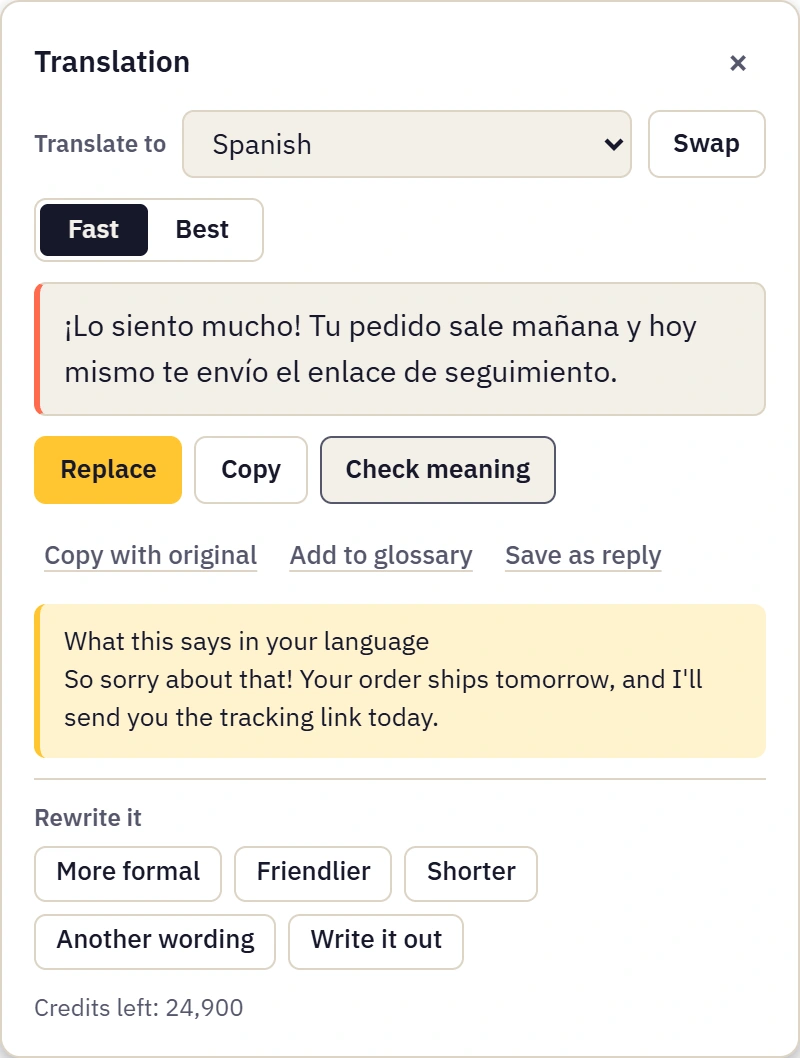
So sorry about that! Your order ships tomorrow, and I'll send you the tracking link today.

ReplyNative preview with the meaning check open. ¡Lo siento mucho! Tu pedido sale mañana y hoy mismo te envío el enlace de seguimiento.
Everything it does

Write in yours. Send in theirs.

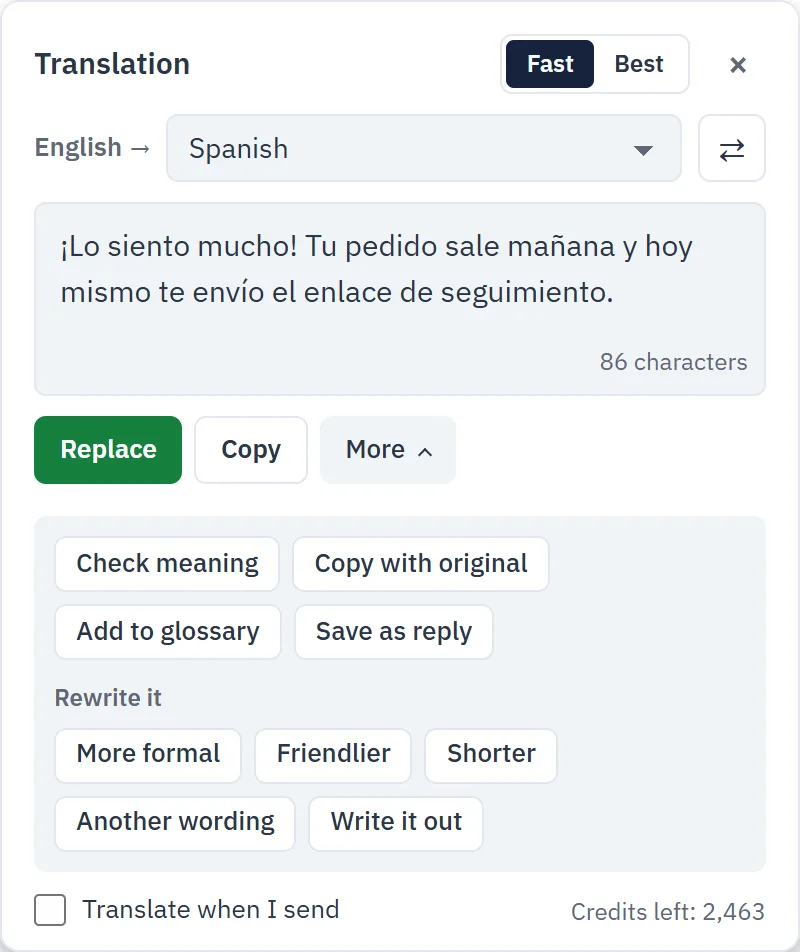
  • Translate where you typeSelect your draft and right-click, or use the mark in the text box.
  • Translate when you sendTurn it on and Enter translates first. Or press AltShiftS once.
  • Fast or BestFast for everyday replies, Best for nuance.
  • Rewrite itMore formal, friendlier, shorter or another wording.
The translation preview with Replace, Copy and the rewrite options open.

Read every customer in your language.

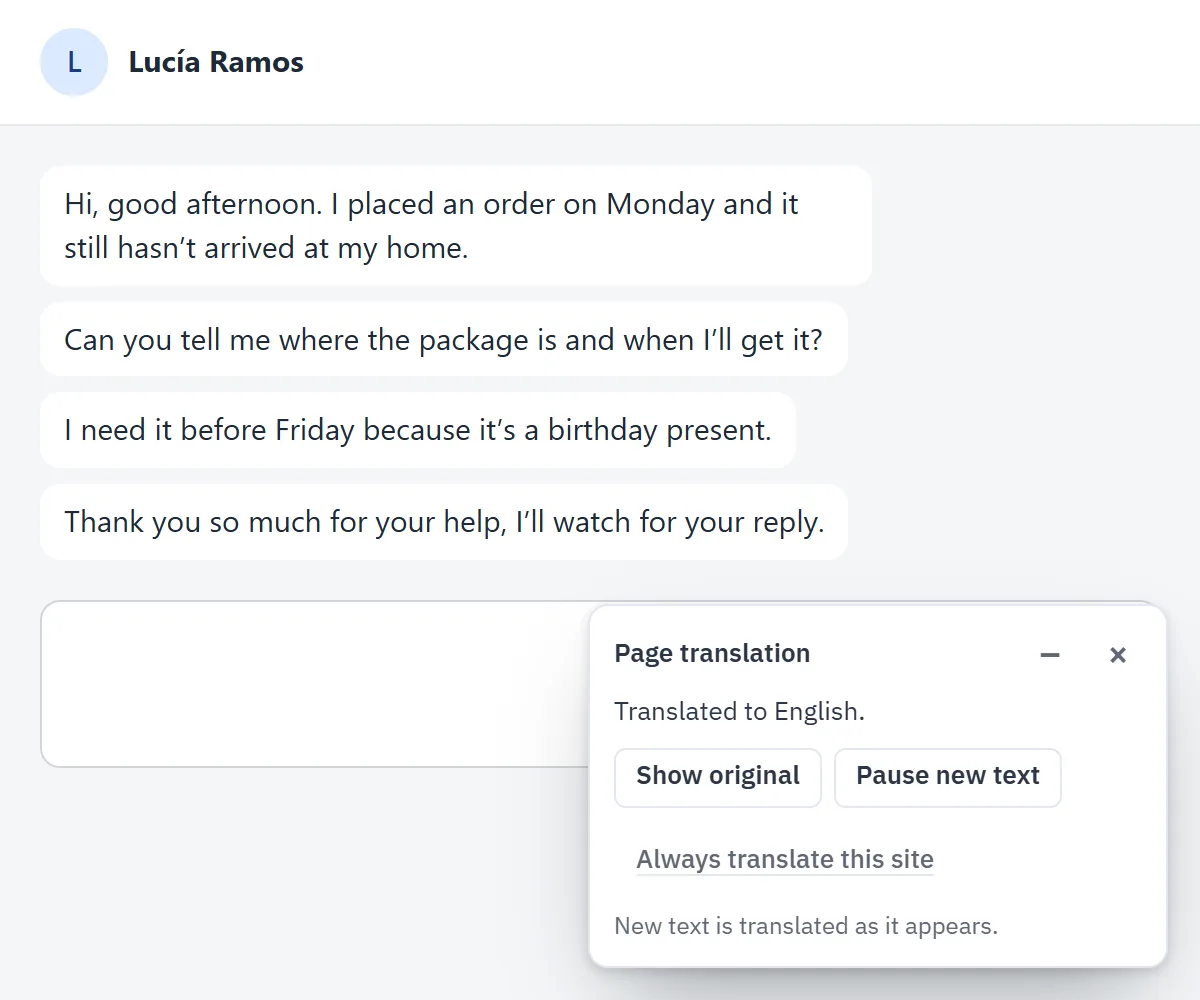
  • Translate the pageVisible text only, after you confirm. Show the original any time.
  • One message at a timePoint at it and tap Shift.
  • Keep bothShow the translation under the original.
  • Always for a languagePages in it translate as they open.
A customer chat translated from Spanish to English, with the page translation panel.

Send it knowing what it says.

  • Check the meaningRead your reply back in your language. Free.
  • Numbers stay numbersYou’re told if a price, link or {{name}} changed.
  • Your terms, your toneA glossary and a tone for each language.

Answer the same question in seconds.

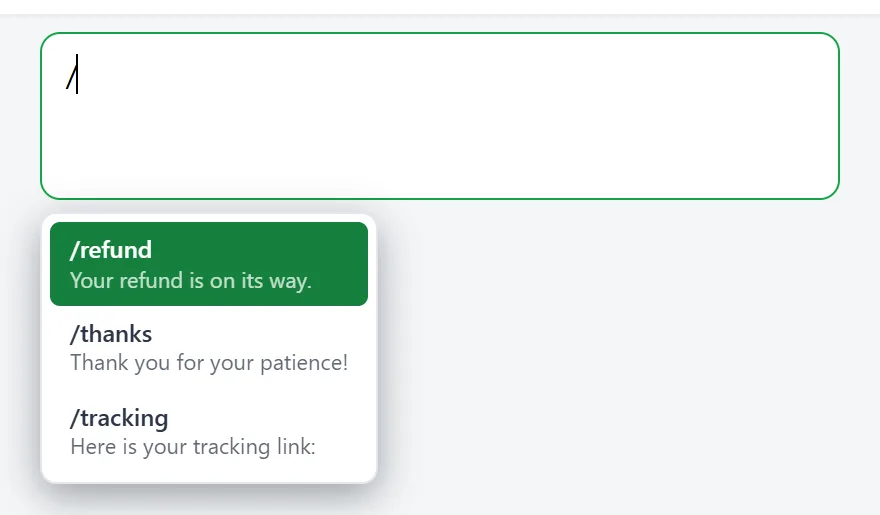
  • Saved repliesType /thanks and Space. Sent in their language, no credits.
  • Keyboard firstAltShiftT translates. AltShiftR opens your replies.
  • Add a site in one clickFrom the toolbar, on the page you’re on.
The saved replies list open under a text box after typing a slash.

For teams

Shared replies, one credit pool and seats you manage.

No translation history

We don’t keep your text. Privacy

Chrome and Firefox

On the sites you choose. Light or dark.

Pricing

2,500free credits. No card.Start trial

Questions

Where does it work?

Webmail, chats and support desks with selectable text. If an editor blocks Replace, use Copy.

Does it send replies?

No. You press send.

How do credits work?

One credit is ten characters. A short message costs 5, Best uses 3 times as many (at least 25), and Check is free.